



Dictation for Windows · Runs on your PC
Stop typing.
Start speaking.
Hold a key, say the sentence, let go. The words appear in whatever window you were already in — Outlook, Word, Excel, a browser, a remote desktop session. Nothing leaves your machine.
Windows 10 & 11 · No account · Works offline
Typing at 40 wpm versus speaking at 120 wpm on the same 200-word email. Ten emails a day, five days a week, is about three hours.
Three things it does that the others don't
It learns your words
Type your customers', vendors' and coworkers' names in once. Lickety tells the recognizer those words exist before it listens, instead of trying to repair the mess afterwards. In testing, that more than halved the errors on names.
See the test →It has no server
Transcription happens on your own CPU. Not "encrypted in transit" — it never goes anywhere. Which also means it can't be down, can't be throttled, and works on a plane.
Where your text goes →It works in a remote session
Full-screen RDP is where most dictation tools quietly stop working. This one was built by someone who lives in one all day, so it was the first thing that had to work, not the last.
Remote desktop setup →Every feature, in detail
What it actually does
Fourteen features, one page each, plus an honest look at where Lickety loses. Each page opens with a worked example — what you say on the left, what you get on the right — because that is the only way to judge a dictation tool without installing it.
Private: nothing leaves your PC
Speech is recognised on your own machine. No account, no upload, works with the internet off.
Read →Vocabulary: teach it your words
Names, jargon and part numbers, taught before it listens rather than corrected afterwards.
Read →Replacements: fix it once, for good
A word it gets wrong the same way every time, swapped for the right one from your next sentence on.
Read →Numbers, dates and money
Say a date, an amount or a part number and get it written the way you would have typed it.
Read →Punctuation, lines and lists
Say the symbol and get the symbol. Numbered lists, new paragraphs, a whole email laid out.
Read →Scratch that: correct it by voice
Change your mind mid-sentence. It only acts when it is sure, and says so when it isn’t.
Read →QuickText
Your address, your signature, your standard reply. Saved once, inserted by name.
Read →File paths and part codes
Drive letters, backslashes and extensions, spoken and written exactly. The test most tools fail.
Read →Say it, and it opens
Folders, programs, websites and searches, opened by voice. Your own phrases, in your own words.
Read →Create a note by voice
One phrase from any program and a blank note is open with the cursor already in the title.
Read →Notes you can just say
Dictate into a note instead of into another window. Search it, merge it, export it, print it.
Read →Transcribe recordings
MP3, WAV, MP4 or MKV turned into text on your own processor. No per-minute charge.
Read →Over Remote Desktop
Runs locally and types into the remote session. Nothing installed at the far end.
Read →Buy once, no subscription
One price, everything included. Nothing renews, and it keeps working if we stop shipping.
Read →Where it wins, where it loses
The honest comparison, including the one test Lickety does not win. Written before you ask.
Read →Price
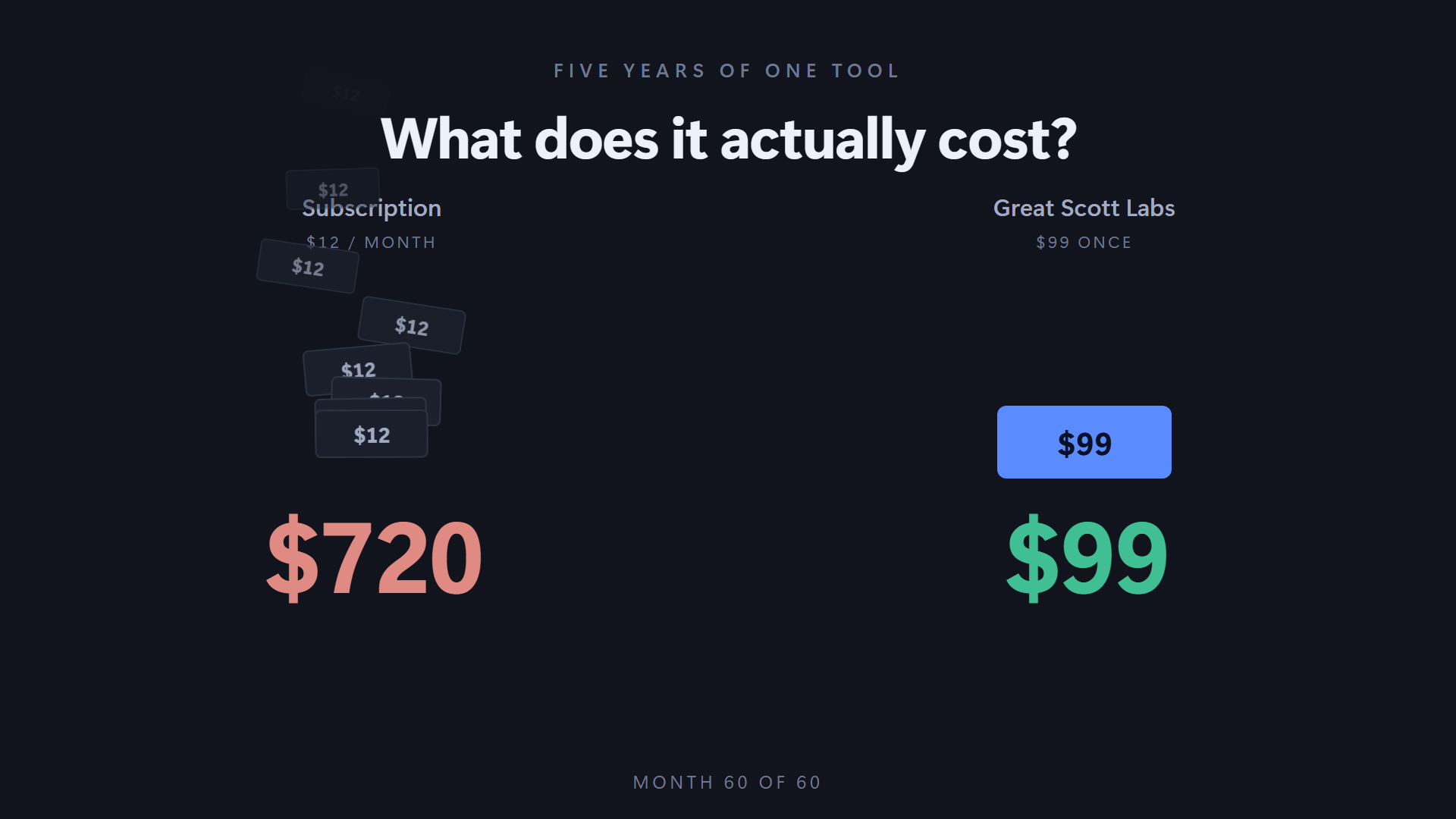
Buy it once. Then stop paying.
Early buyers get twenty dollars off because you are taking a chance on a one-person shop with no track record yet. That is worth something, so you pay less. Once there are enough people using it that the risk is gone, the price goes to $99 and stays there.
- Everything is in it. No pro tier holding back the feature you came for.
- Nothing renews. No card on file, no annual email, no price rise next year.
- The price you pay is the price forever. When it goes to $99, that does not reach back to you. You bought it; it is yours.
- No account. Download, install, use. There is nothing to log in to.
- Pay in instalments if you want. The same price split two to four ways, no premium.
Checkout opens as soon as payment setup is finished. Email support@greatscottlabs.co and I’ll tell you the day it does. When it opens, every purchase carries a 60-day money-back guarantee.
Try it before you pay
The free version gives you a generous run of words to start with, then settles into a weekly allowance. It doesn't expire and it doesn't nag — it's the same software, just less of it.
The honest part
Where Lickety loses
On ordinary English, a big cloud tool will match this or beat it. On famous hard words — the unusual ones a huge model has already seen in training — the cloud tool wins outright and we don't.
Where Lickety wins is on your words: the customer, the vendor, the internal system name that has never appeared in anybody's training data. It wins there because it can be taught, and it can be taught the famous words it loses on too.